Numexo Download

Simple offline accounting with GST, made for small Indian businesses

Numexo keeps your vouchers, GST, bills, bank and stock in one easy Windows program. It works without internet, and your data stays on your own computer.

For Windows 10 and 11 · About 2 MB download · Try it in Demo mode before you buy
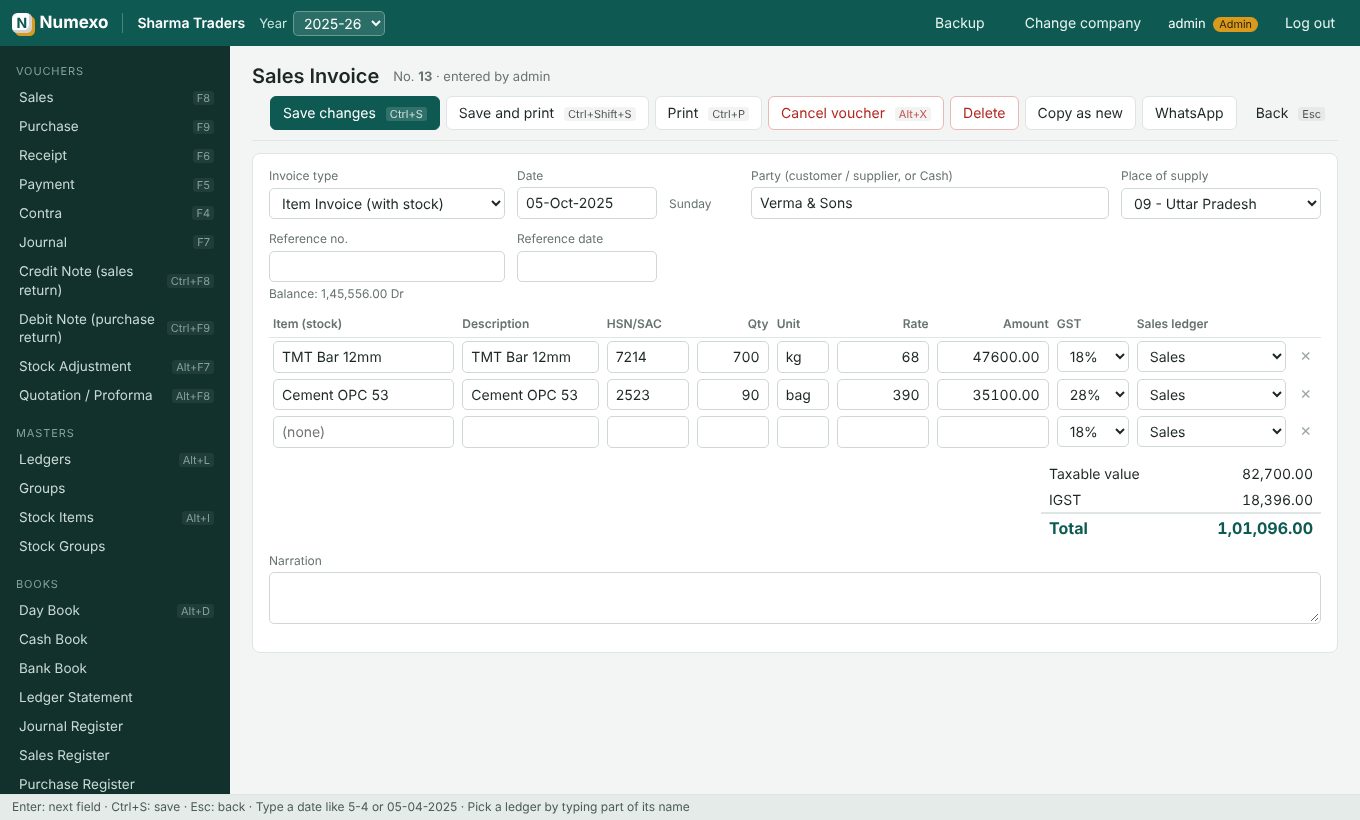
Numexo sales invoice screen with items, GST and total

Everything a small business needs, nothing it doesn't

Numexo works the way accountants already work: vouchers with familiar keys, books, Trial Balance, Profit & Loss and Balance Sheet. Extra features stay hidden until you switch them on, so the screens stay clean.

Accounting

  • Sales, Purchase, Receipt, Payment, Contra, Journal, Credit and Debit Notes
  • Quick keys F4 to F9, like other accounting software
  • Day Book, Cash and Bank Book, ledgers, registers
  • Trial Balance, P&L and Balance Sheet with drill-down

GST made easy

  • GST invoices with HSN/SAC, CGST, SGST and IGST
  • GSTR-1 and GSTR-3B data, Excel for the GST offline tool
  • Composition (CMP-08), reverse charge, GST set-off
  • Editable GST rates, e-way bill reminders

Bills and bank

  • Bill-wise outstanding with credit days
  • Ageing and payment reminders
  • Import bank statements from Excel or CSV
  • Bank reconciliation in a few clicks

Stock

  • Stock items, groups and units
  • Stock updates from sales and purchases
  • Stock summary, item movement, low stock
  • Closing stock flows into P&L and Balance Sheet

Share and print

  • Invoices with your logo, bank details and UPI QR code
  • Three invoice designs to choose from
  • Share invoices, receipts and statements on WhatsApp
  • Every report to print, PDF or Excel

Safe and in your control

  • Works fully offline, data on your own PC
  • Automatic daily backup, plus a copy to Google Drive
  • Users with their own login, Admin controls changes
  • Period lock, edit log and cancelled vouchers that keep the series complete

Clean screens that are easy to learn

Sample company shown. Your own data looks just the same.

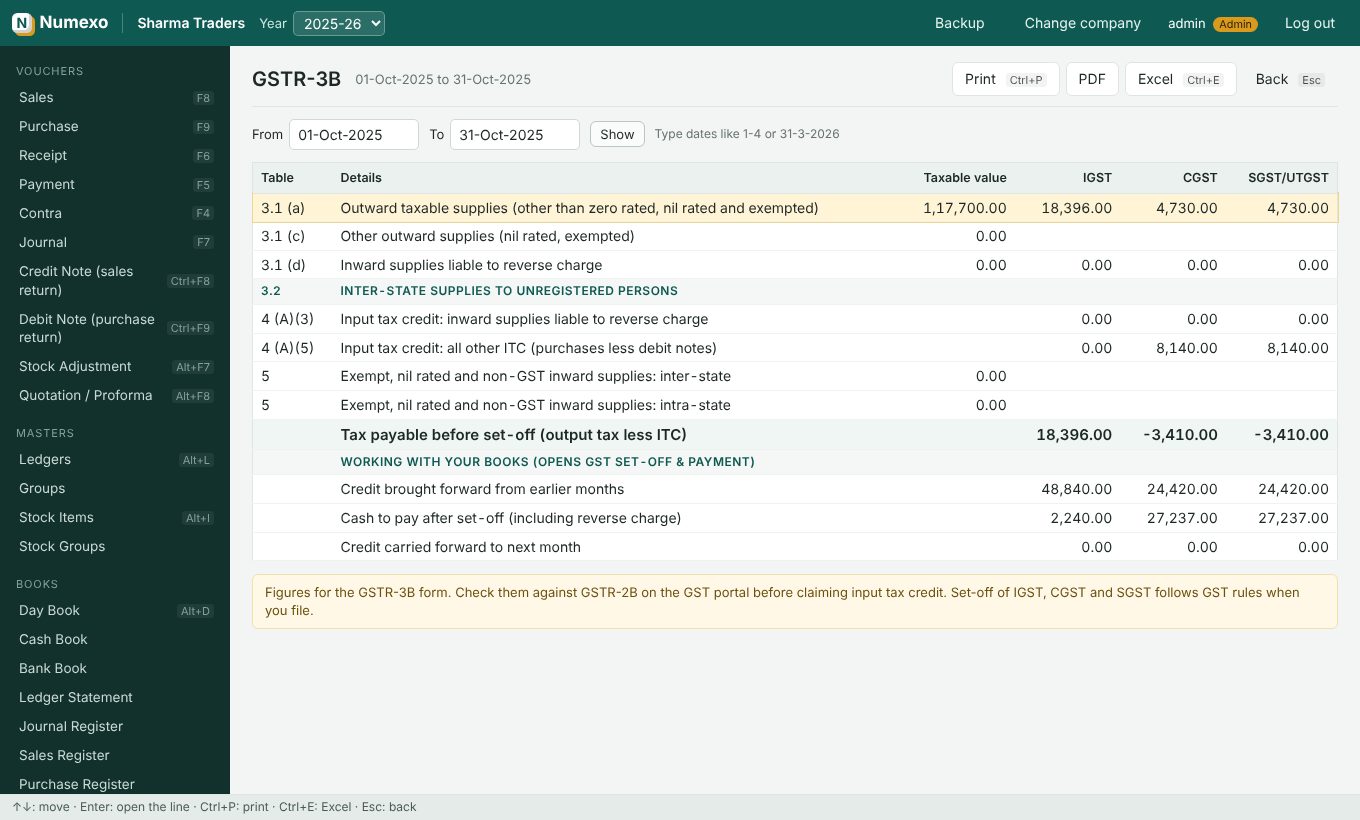
GSTR-3B ready every month

See output tax, input credit and the cash to pay, with every figure opening the bills behind it.
GSTR-3B summary in Numexo

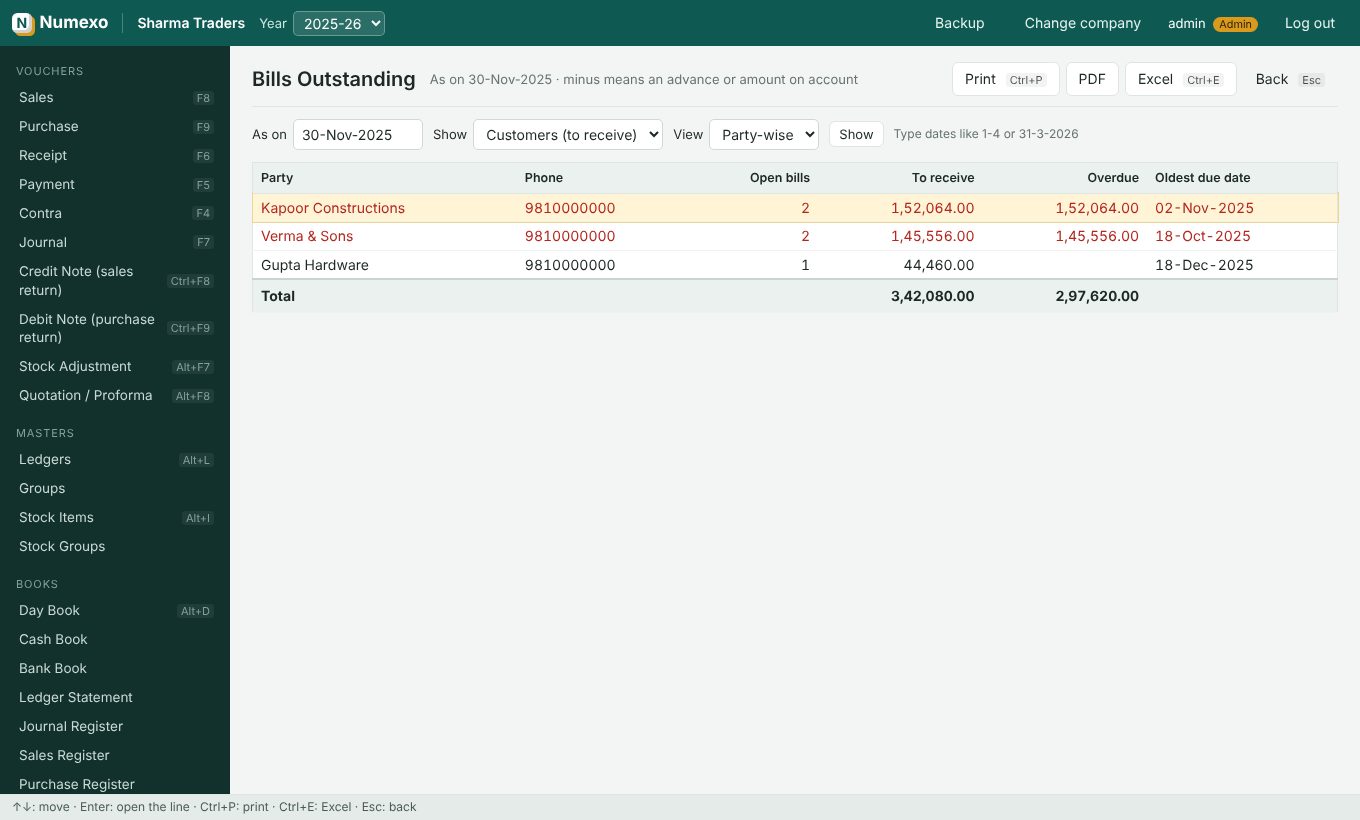
Know who owes you

Bills outstanding by party, with overdue amounts in red and a reminder ready to send on WhatsApp.
Bills outstanding report in Numexo

Two editions

Numexo Pro has all your day-to-day accounting. Numexo Pro Plus adds advanced reports. Both use the same data, so you can move up any time.

FeatureProPro Plus
All vouchers, books and ledgersYesYes
Trial Balance, Profit & Loss, Balance SheetYesYes
GST invoices and GST ledgersYesYes
Bills outstanding, receivables and payablesYesYes
Stock, bank reconciliation, imports, backupsYesYes
WhatsApp sharing of invoices, receipts and statementsYesYes
GST reports: GST Summary, GSTR-1, GSTR-3B, CMP-08, set-offNoYes
Ageing and payment remindersNoYes
Cash Flow and Monthly ComparisonNoYes
E-way bill checkNoYes
Contact us for prices Every download starts in Demo mode with all features, so you can try before you buy.

Download Numexo 1.10

For Windows 10 and Windows 11 (64-bit). No admin password needed.

Download Numexo Setup (zip, 1.6 MB)

  1. Open the downloaded zip and double-click Numexo-Setup-1.10.0.exe.
  2. If Windows says "Windows protected your PC", click More info, then Run anyway.
  3. Click Next until it finishes. Numexo appears on your desktop and in the Start menu.
  4. Open Numexo, create your company, and start entering.

Updating from an older version? Just run the new Setup. Your companies, backups and licence stay exactly as they are.

Your data is saved in Documents\Numexo on your computer. Uninstalling Numexo never deletes it.

What's new

Version 1.10

November 2026
  • New Setup file with Start menu and desktop shortcuts
  • Cancel a voucher and keep its number, so the series has no gaps
  • WhatsApp sharing now in Pro, with your own message wording
  • Share receipts on WhatsApp, and from the Print box

Version 1.9

November 2026
  • Three invoice designs and a declaration on invoices
  • Choose the columns of the Sales and Purchase registers
  • Formatted reports with your brand colour

Version 1.6 to 1.8

November 2026
  • Drill down from every GST figure to its bills
  • GST set-off and payment screen
  • Columnar ledgers, T or vertical P&L and Balance Sheet
  • Pro and Pro Plus editions, Demo mode

Questions

Does Numexo need the internet?

No. Numexo works fully offline. Internet is only used if you choose to share on WhatsApp or keep a backup copy in Google Drive.

Where is my data kept?

On your own computer, in Documents\Numexo. Numexo makes an automatic backup every day and can keep a second copy in a Google Drive folder.

Can I try it before buying?

Yes. Numexo starts in Demo mode with every feature. Contact us when you are ready for a licence.

Can I bring my data from Excel?

Yes. You can import ledgers, stock items, vouchers and bank statements from Excel.

Why does Windows show a warning when I install?

Windows shows "Windows protected your PC" for programs from smaller publishers. Click More info, then Run anyway. Numexo does not run any hidden commands.

Talk to us

For prices, a demo, or help with Numexo.

Numexo · Rohini, New Delhi